
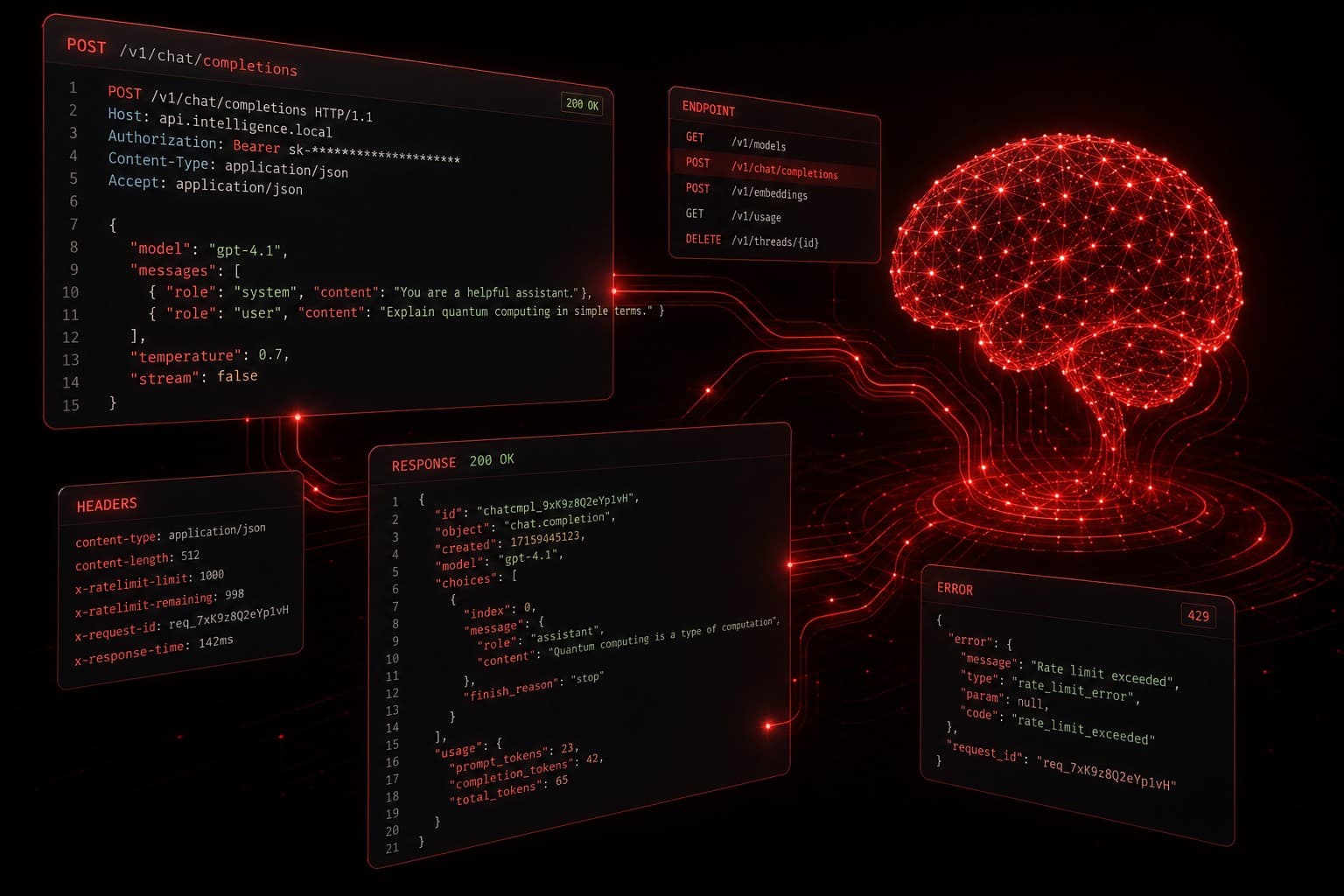
The ChatGPT API is one of the fastest ways to add real AI capabilities to your business tools, apps, and workflows. Whether you want to build an AI chatbot, automate content generation, or create a custom assistant that knows your business inside and out, the API is where it all starts.
I have built dozens of AI-powered workflows and apps for clients using the OpenAI API — from lead qualification bots to automated report generators. This guide walks you through everything you need to go from zero to a working AI-powered application.
Quick Summary
- The ChatGPT API lets you send text prompts and receive AI-generated responses programmatically
- You need an OpenAI account, an API key, and basic coding knowledge (Python recommended)
- Pricing is token-based — you pay per input and output, not per request
- The Chat Completions endpoint is the core of most business applications
- You can build chatbots, content tools, data analyzers, and custom assistants
What Is the ChatGPT API?
The ChatGPT API is a programming interface from OpenAI that lets developers send prompts to GPT models and receive AI-generated responses in their own applications. Instead of using ChatGPT through the web interface, you call the API from your code, your automation platform, or your business tools.
Think of it this way: the ChatGPT website is the consumer product. The API is the building block that lets you embed that same intelligence into anything you want.
If you are still deciding between AI platforms, check out our ChatGPT for Business breakdown for a broader look at how businesses are using OpenAI's tools.
Why Use the ChatGPT API Instead of the Chat Interface?
The web interface is fine for one-off questions. But if you want AI working inside your business processes — automatically, at scale, without someone sitting at a keyboard — you need the API.
Here is what the API unlocks that the chat interface cannot:
- Automation integration — connect ChatGPT to your CRM, email platform, or business automation workflows
- Custom system prompts — define exactly how the AI behaves, what it knows, and what it should never say
- Programmatic control — send thousands of requests per hour without manual input
- Data privacy — API requests are not used to train OpenAI models (unlike free-tier chat)
- Multi-model access — switch between GPT-4o, GPT-4o-mini, o3, and other models based on your needs
Step 1: Create Your OpenAI Account and API Key
Getting started takes about five minutes:
- Go to platform.openai.com and sign up (or log in)
- Navigate to API Keys in the left sidebar
- Click Create new secret key — give it a descriptive name like "My App - Production"
- Copy the key immediately — you will not see it again after closing the dialog
- Store it securely (environment variable, secrets manager, or
.envfile — never hardcode it)
Set Up Billing
The API is not free. You need to add a payment method under Settings > Billing. OpenAI charges per token (roughly 4 characters per token). Current pricing for GPT-4o is approximately $2.50 per million input tokens and $10 per million output tokens — making most business applications very affordable.
For testing and prototyping, you will typically spend less than $1 per day.
Step 2: Install the OpenAI Python Library
Python is the most popular language for working with the ChatGPT API, and OpenAI maintains an official library for it.
Open your terminal and run:
pip install openai
Then set your API key as an environment variable:
export OPENAI_API_KEY="sk-your-key-here"
For production apps, use a .env file with a library like python-dotenv instead of exporting directly in your terminal.
Step 3: Make Your First API Call
Here is the simplest possible ChatGPT API request:
from openai import OpenAI

client = OpenAI()

response = client.chat.completions.create(
    model="gpt-4o",
    messages=[
        {"role": "system", "content": "You are a helpful assistant."},
        {"role": "user", "content": "What are three ways AI can save time for small businesses?"}
    ]
)

print(response.choices[0].message.content)
That is it. You send a list of messages, and the API returns the AI's response. The system message defines the AI's behavior, and the user message is the prompt.
Understanding the Response Object
The API returns a structured JSON response. The key fields you will use most are:
response.choices[0].message.content— the actual text responseresponse.usage.prompt_tokens— how many tokens your input usedresponse.usage.completion_tokens— how many tokens the response usedresponse.model— which model handled the request
Step 4: Build a Conversation (Multi-Turn Chat)
Real applications need back-and-forth conversation. The API is stateless — it does not remember previous messages unless you send them. You manage context by passing the full conversation history with each request:
conversation = [
    {"role": "system", "content": "You are a customer support agent for a SaaS company."},
    {"role": "user", "content": "How do I reset my password?"},
]

response = client.chat.completions.create(
    model="gpt-4o",
    messages=conversation
)

# Add the assistant's reply to the conversation
assistant_reply = response.choices[0].message.content
conversation.append({"role": "assistant", "content": assistant_reply})

# User asks a follow-up
conversation.append({"role": "user", "content": "What if I don't have access to my email?"})

response = client.chat.completions.create(
    model="gpt-4o",
    messages=conversation
)
Each request includes the full history, so the AI maintains context. For long conversations, you may need to trim older messages to stay within the model's context window.
Step 5: Choose the Right Model
OpenAI offers several models through the same API. Choosing the right one depends on your use case:
| Model | Best For | Speed | Cost |
|---|---|---|---|
| GPT-4o | General business tasks, content, analysis | Fast | Medium |
| GPT-4o-mini | High-volume, simple tasks | Very fast | Low |
| o3 | Complex reasoning, math, coding | Slower | Higher |
| o3-mini | Reasoning tasks on a budget | Moderate | Medium |
For most business applications, GPT-4o is the sweet spot. Use GPT-4o-mini for high-volume tasks where speed and cost matter more than depth (like classifying support tickets). Use o3 when you need the AI to reason through complex multi-step problems.
If you want a detailed comparison of how these stack up against competitors, read our Claude AI Review for context on the broader AI landscape.
Real-World Business Applications
Here are practical examples of what you can build with the ChatGPT API:
Lead Qualification Bot
Connect the API to your CRM or form submissions. When a lead comes in, the AI evaluates it against your ideal customer profile and scores it automatically. This is exactly the kind of workflow I build for clients through AI agent automation.
Content Generation Pipeline
Feed the API a topic, target keyword, and brand guidelines. It returns a draft blog post, social media captions, or email sequences. Pair this with Make.com or n8n for a fully automated content pipeline.
Customer Support Assistant
Build a chatbot that answers common questions using your knowledge base. Use the system prompt to define your brand voice, FAQ answers, and escalation rules. The API handles the conversation — you handle the edge cases.
Data Analysis and Summarization
Send raw data (CSV exports, survey responses, call transcripts) to the API and get structured summaries, sentiment analysis, or actionable insights back.
API Best Practices
After building dozens of API integrations, here are the practices I always follow:
Use System Prompts Effectively
The system prompt is the most underutilized feature of the API. A well-written system prompt eliminates 90% of the "the AI said something weird" problems. Be specific about:
- The AI's role and personality
- What it should and should not do
- Output format expectations (JSON, bullet points, paragraphs)
- Edge case handling instructions
Handle Errors Gracefully
The API can return rate limit errors (429), server errors (500), or timeout errors. Always implement retry logic with exponential backoff:
import time
from openai import RateLimitError

def call_with_retry(messages, max_retries=3):
    for attempt in range(max_retries):
        try:
            return client.chat.completions.create(
                model="gpt-4o",
                messages=messages
            )
        except RateLimitError:
            wait_time = 2 ** attempt
            time.sleep(wait_time)
    raise Exception("Max retries exceeded")
Monitor Token Usage
Tokens directly affect your bill. Track usage per request and set up alerts if spending exceeds your expected range. The response.usage object gives you exact counts for every call.
Use Temperature Wisely
The temperature parameter controls randomness. Lower values (0.0-0.3) give consistent, deterministic answers — ideal for data extraction and classification. Higher values (0.7-1.0) add creativity — better for content generation and brainstorming.
Pricing Breakdown
The ChatGPT API uses a pay-per-token model. Here is what typical business usage looks like:
- Simple chatbot (100 conversations/day): approximately $5-15/month
- Content generation (10 articles/day): approximately $15-30/month
- Data processing (1,000 records/day): approximately $10-25/month
These numbers assume GPT-4o. Using GPT-4o-mini cuts costs by roughly 90% for simpler tasks.
Compare this to hiring a human for the same work, and the ROI becomes obvious. We covered this math in detail in our business automation guide.
What You Cannot Do With the API
Honest take — the API is powerful but not magic. Here are the real limitations:
- No real-time data — the model's training has a knowledge cutoff. For live data, you need to feed it current information via your prompts.
- No guaranteed accuracy — AI can hallucinate. Always validate outputs for critical business decisions.
- Context window limits — even GPT-4o has a maximum context size. Very long documents may need to be chunked.
- Rate limits — high-volume usage requires requesting increased limits from OpenAI.
- No built-in memory — each API call is independent. You must manage conversation history yourself.
Frequently Asked Questions
Is the ChatGPT API free to use?
No. The API requires a paid OpenAI account with billing enabled. However, costs are very low for most use cases — typically $5-30 per month for small business applications. OpenAI occasionally offers free credits for new accounts.
Do I need to know how to code to use the ChatGPT API?
Basic coding knowledge helps, but you do not need to be a software engineer. Python is the easiest starting point, and you can get a working prototype in under an hour. Alternatively, platforms like Make.com and n8n let you use the API through visual workflow builders without writing code.
What is the difference between the ChatGPT API and ChatGPT Plus?
ChatGPT Plus ($20/month) gives you access to the web interface with GPT-4o. The API gives you programmatic access to the same models for use in your own applications. They are separate products with separate pricing. API usage is billed per token, while Plus is a flat monthly subscription.
Can I use the ChatGPT API to build a product and sell it?
Yes. OpenAI's usage policies allow commercial use of API-generated content. Many SaaS products, chatbots, and business tools are built on top of the ChatGPT API.
How do I keep my API key secure?
Never hardcode your API key in source code or commit it to version control. Use environment variables, a secrets manager (like AWS Secrets Manager or Doppler), or a .env file that is excluded from your repository via .gitignore.
Start Building
The ChatGPT API removes the barrier between "AI is cool" and "AI is working in my business." The setup takes minutes, the cost is minimal, and the possibilities are genuinely wide open.
If you want help building AI-powered workflows and applications for your business — from lead qualification bots to automated reporting systems — book a free strategy session and I will show you exactly what can be automated.