
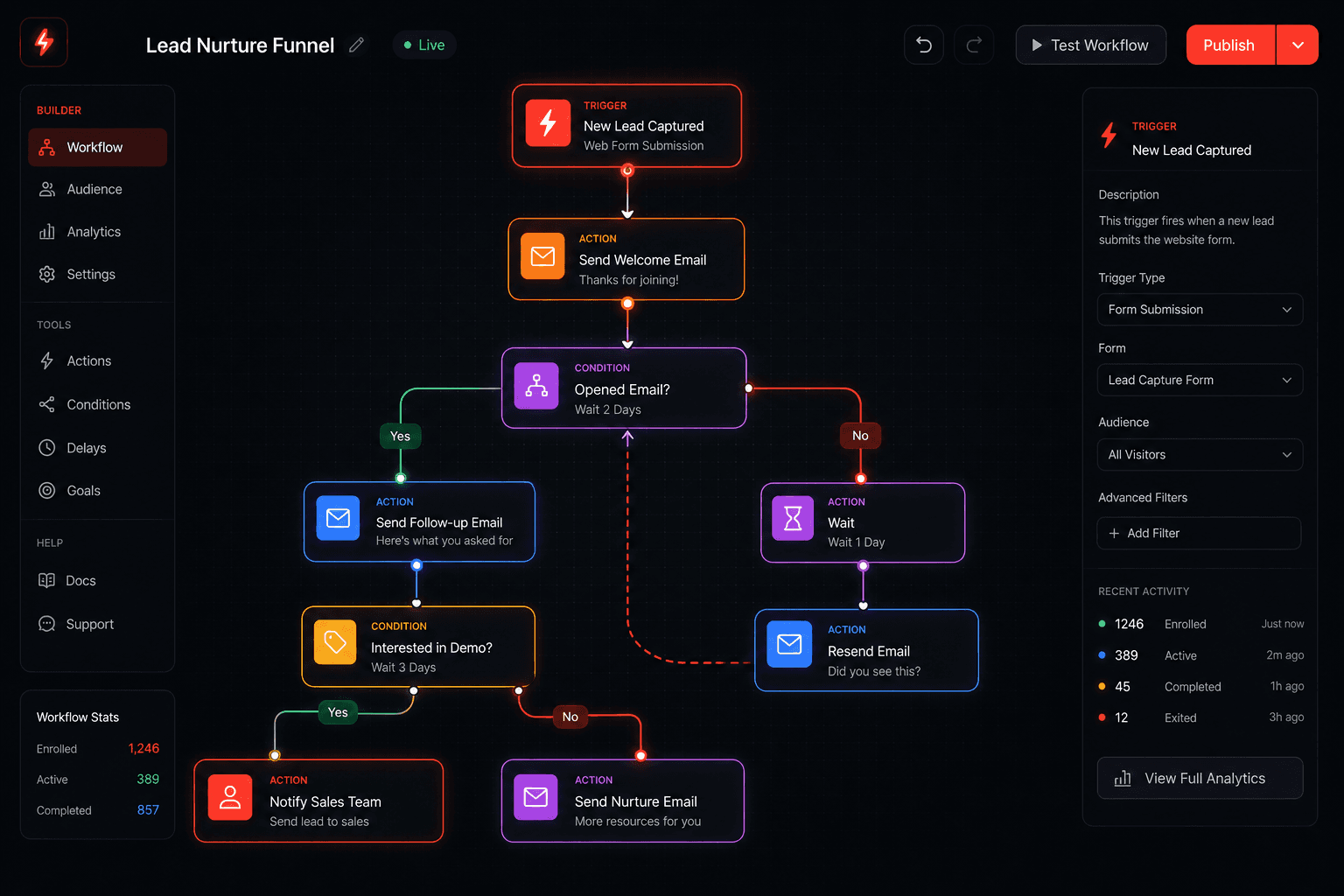
GoHighLevel's workflow builder is one of the most powerful tools in the platform — and also one of the most underutilized. Most businesses set up one or two basic automations and leave the rest on the table.
These are the 10 workflows I build for clients that consistently produce measurable results — faster follow-up, fewer no-shows, more reviews, and more revenue from leads you already have.
Try GoHighLevel free for 14 days →
Workflow 1: The 5-Minute Lead Response
Goal: Contact every new lead within 5 minutes, 24/7 — without your staff doing anything.
Trigger: Form submission (website contact form, Facebook Lead Ad, Google Ad form)
Steps:
- Immediately — Send SMS: "Hi [First Name], thanks for reaching out to [Business Name]! I'll personally follow up shortly. Want to grab a time now? [Booking Link]"
- Immediately — Add tag:
new-lead - Immediately — Create task for sales rep: "Follow up with [First Name] — new lead"
- Wait 2 hours (if no reply)
- Send SMS: "Just wanted to make sure my first message came through! Happy to answer any questions — what's the best way to connect?"
- Wait 1 day (if no reply)
- Send email: More detailed follow-up with your value proposition and a booking link
- Wait 2 days (if no reply)
- Send final SMS: "I know timing isn't always right — whenever you're ready, I'm here. [First Name from [Business]]"
Why it works: Industry data consistently shows 80%+ drop in contact rates after 5 minutes. This workflow ensures every lead gets a fast, personalized-feeling response without staff monitoring a form inbox.
Workflow 2: Appointment Confirmation and Reminder Sequence
Goal: Reduce no-shows by 40–60% with automated reminders.
Trigger: Appointment booked in GHL calendar
Steps:
- Immediately — Send confirmation SMS + email with appointment details, address, parking info, what to bring
- 24 hours before — SMS reminder: "Reminder: your appointment with [Business] is tomorrow at [Time]. Reply CONFIRM to confirm or CANCEL to reschedule."
- 24 hours before — Email reminder with appointment details
- 2 hours before — SMS: "See you in 2 hours at [Time]! [Address] — let me know if anything comes up."
Optional add-on: If contact replies "CANCEL" — trigger a re-scheduling workflow instead of just canceling.
Why it works: Each additional touchpoint reduces no-shows. The 3-message sequence typically brings no-show rates below 10% for most service businesses.
Workflow 3: Post-Appointment Review Request
Goal: Generate consistent Google review volume automatically.
Trigger: Pipeline stage moved to "Appointment Completed" or "Job Done"
Steps:
- Wait 3 hours (let the client get home, process the experience)
- Send SMS: "Hi [First Name], thanks for coming in today! If you had a great experience, a quick Google review would mean a lot — it only takes 30 seconds: [Google Review Link]"
- Wait 48 hours (if no review left)
- Send email: Same ask, slightly different framing — "We'd love your feedback..."
- Wait 5 days (if no review)
- Final SMS (optional): "[First Name] — one last ask! A Google review helps us reach more people like you. [Link]"
Why it works: Asking for reviews systematically generates 5–10x more reviews than relying on staff to remember. Volume and recency of reviews directly impact Google local rankings.
Workflow 4: No-Show Re-Engagement
Goal: Recover no-shows automatically instead of letting them disappear.
Trigger: Appointment status changed to "No Show"
Steps:
- Wait 30 minutes
- Send SMS: "Hi [First Name], we missed you today! Life happens — want to reschedule? Here's my booking link: [Link]"
- Wait 1 day (if no reply)
- Send email: More detailed re-engagement with value reminder and easy re-booking
- Wait 3 days
- Final SMS: "[First Name] — still happy to connect when the timing works. Just book a time that fits: [Link]"
Why it works: No-shows who get a gentle, easy re-engagement path reschedule at 20–35% rates. Without follow-up, most are lost permanently.
Workflow 5: Inactive Lead Re-Activation
Goal: Get revenue from leads that went cold without converting.
Trigger: Contact has tag new-lead AND last activity was 30+ days ago (use a smart list + manual trigger or scheduled workflow)
Steps:
- Send SMS: "Hi [First Name] — [Your Name] from [Business]. You reached out a while back and I wanted to check in. Is [their original problem/service interest] still something you're looking at?"
- Wait 3 days (if no reply)
- Send email: Value-led re-engagement — share a relevant case study, tip, or resource
- Wait 1 week
- Final SMS: "Last check-in — if the timing is ever right, I'm here. [First Name from [Business]]"
Why it works: Most businesses have 6–18 months of cold leads sitting in their CRM that were never systematically re-engaged. A single re-activation campaign to this list typically converts 3–8%.
Workflow 6: New Client Onboarding
Goal: Make new clients feel taken care of from day one, set expectations, reduce friction.
Trigger: Pipeline stage moved to "Active Client" or "Signed"
Steps:
- Immediately — Send welcome email: what to expect, key contacts, next steps, any intake/onboarding forms
- Immediately — Send SMS: "Welcome to [Business], [First Name]! I just sent you a welcome email with everything you need. Let me know if any questions come up."
- Day 3 — Check-in SMS: "Hi [First Name], just checking in — any questions so far?"
- Day 7 — Email: Share a tip, resource, or behind-the-scenes look at how you're working for them
- Day 14 — Brief check-in + collect any early feedback
- Day 30 — Milestone message: "One month in — here's what we've accomplished together so far..."
Why it works: Client retention starts at onboarding. Clients who feel engaged and informed churn at significantly lower rates than those left in the dark after signing.
Workflow 7: Referral Request Sequence
Goal: Systematically generate referrals from happy clients.
Trigger: Tag added happy-client OR pipeline stage Active Client - 60 days
Steps:
- Send email: "[First Name], we've loved working with you. If you know anyone who could use [your service], we'd be grateful for an introduction. As a thank-you, [describe referral incentive]."
- Wait 1 week
- Send SMS: "[First Name] — any chance you know someone who could use [service]? Happy to take great care of them. [Name from Business]"
Why it works: Most service businesses get referrals passively. This workflow makes asking systematic — you'll typically generate 15–25% more referrals just by asking consistently.
Workflow 8: Abandoned Booking Follow-Up
Goal: Recover people who visited your booking page but didn't complete the booking.
Trigger: Can be set up via form partial submission, or via contact who opened booking link but has no appointment in 24 hours
Steps:
- Wait 4 hours after link click with no booking
- Send SMS: "Hey [First Name] — noticed you were looking at our schedule. I held some time — want me to confirm a spot for you? [Booking Link]"
- Wait 1 day
- Send email: Address potential objections — FAQs, testimonials, what to expect
Why it works: Booking abandonment is similar to cart abandonment in e-commerce — the intent was there. A timely follow-up converts a meaningful percentage.
Workflow 9: Seasonal and Win-Back Campaign
Goal: Re-engage clients who haven't booked in 6+ months.
Trigger: Smart list — Active Client tag + last appointment 180+ days ago
Steps:
- Send SMS: "Hi [First Name], it's been a while! We've got some openings this [month] if you want to get back on the schedule: [Booking Link]"
- Wait 5 days
- Send email: Seasonal offer or simply a warm check-in with easy re-booking
- Wait 7 days
- Final SMS: "[First Name] — just wanted to make sure we hadn't lost touch. You're always welcome back. [Business Name]"
Why it works: Reactivating an existing client costs 5–7x less than acquiring a new one. A quarterly win-back campaign to your dormant list is one of the highest-ROI activities in a local service business.
Workflow 10: GHL + AI Agent Hybrid (Advanced)
Goal: Qualify leads with a two-way AI conversation before any human time is spent.
Trigger: New lead form submission
Steps:
- Immediately — Send SMS from GHL: "Hi [First Name], thanks for reaching out! Quick question — what's the main thing you're looking to address? [AI responds inline via webhook]"
- Webhook fires to AI agent (built with n8n, Make, or a custom agent)
- AI agent handles the qualification conversation — asks key questions, gathers info, determines fit
- If qualified: AI books appointment directly into GHL calendar and hands off to human
- If not qualified: AI gracefully closes the conversation and adds appropriate tag in GHL
Why it works: Human follow-up time is your most expensive resource. Pre-qualifying with AI means your team only spends time on leads that are actually ready to buy.
This is the model I build for clients who want their marketing system to run autonomously end-to-end. Read more about AI agents for business → or book a call to discuss your setup →.
Getting Started
All 10 of these workflows can be built inside GoHighLevel's visual workflow builder without writing a single line of code. Start with workflows 1 and 2 (lead response + appointment reminders) — those typically have the biggest immediate impact.
Start your GoHighLevel free trial → — 14 days, full access, no credit card required.
Related: GoHighLevel for Local Business | GoHighLevel for Agencies | GoHighLevel Review